Setup Epic Games Account
✅ Follow these instructions exactly to log in safely. If you're confused, don’t worry we’ve added GIFs to guide you!
Step 1: Go to Epic Games
Go to Epic Games
Enter the Login and password we gave you.
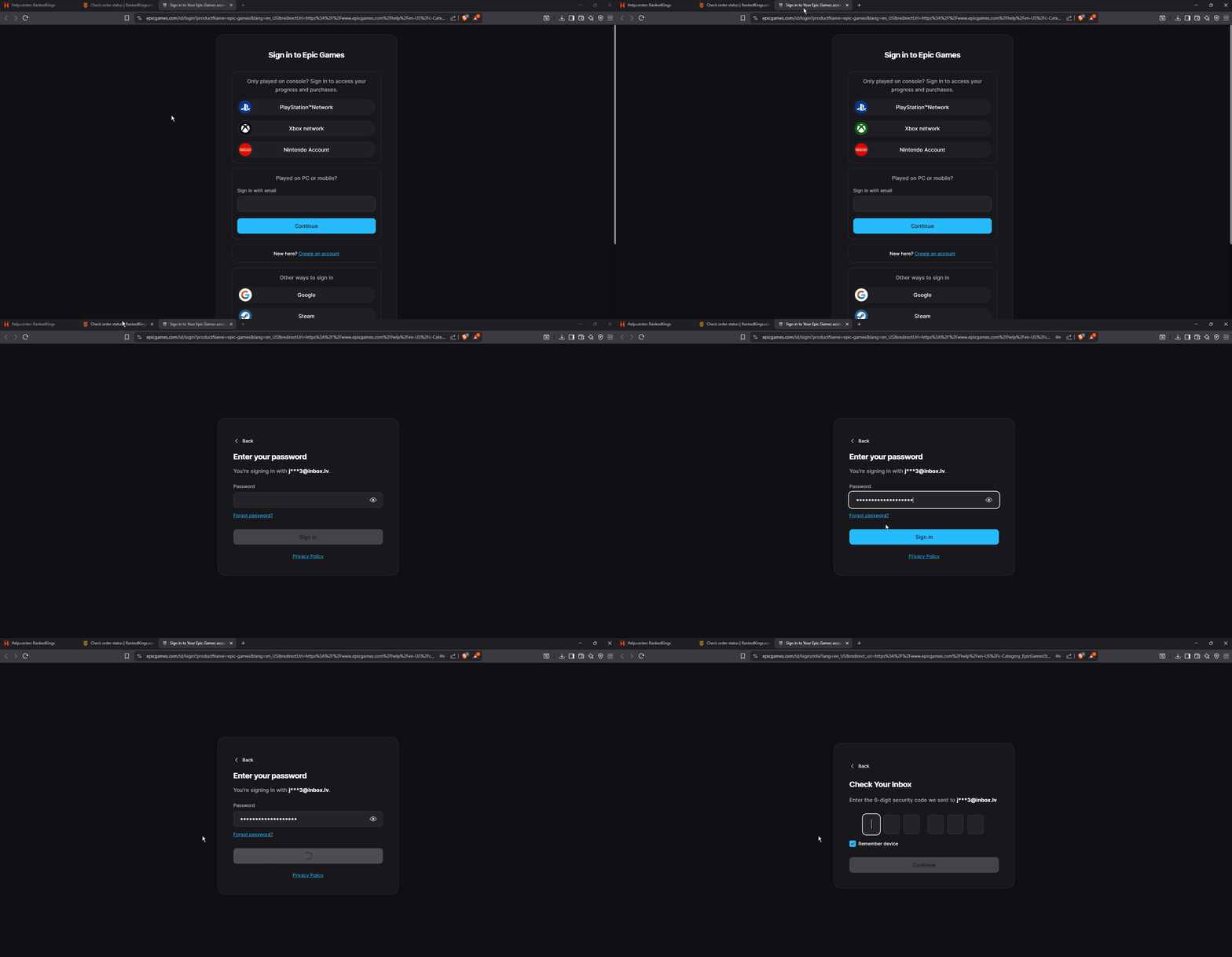
Step 2: Wait for the Security Code Email
After logging in, Epic Games will say:
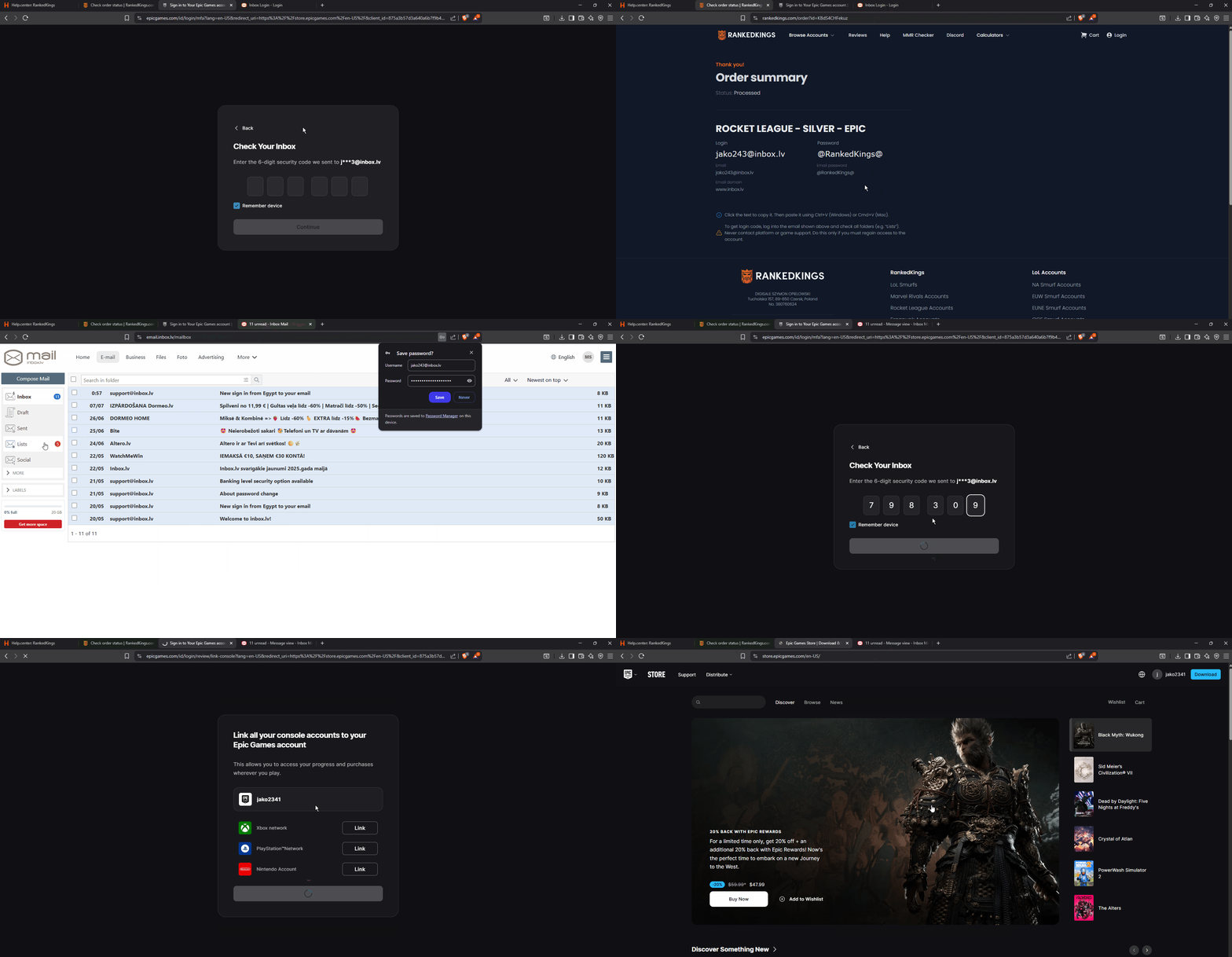
“Enter the 6-digit security code we sent to j**3@inbox.lv ”Open a new tab and go to: https://login.inbox.lv/
Enter the Email and Email password we gave you.
Find the email from Epic Games with the verification code
Copy the code and go back to Epic Games
Paste the code to verify and access Epic Games
📱 Note: If Inbox.lv Asks for Additional Verification
Sometimes, to access your inbox.lv email, the site might ask for extra verification.
You’ll see a message like:
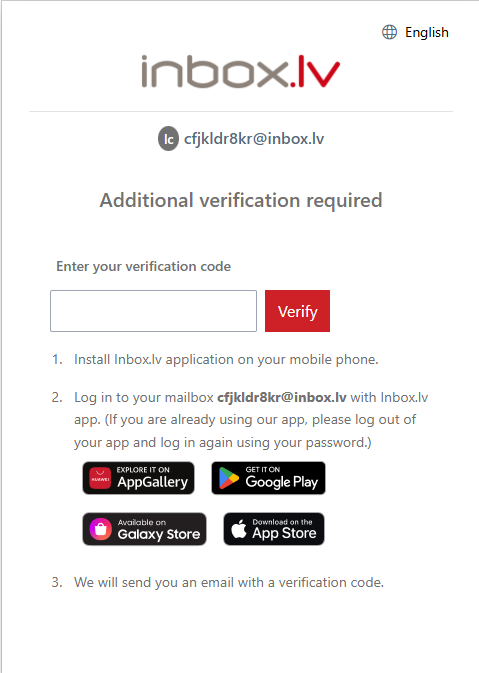
Here’s what to do:
Download and install the Inbox.lv app on your phone
2. Log in to the app using the inbox.lv email and password we gave you.
3. Once you're logged in on your phone:
Find the email with the verification code
Copy the code and paste it into the verification field
Click Verify
Then refresh the inbox.lv page on your computer — you should now be able to access your inbox.
Was this helpful?
Still need help? Ask the team